
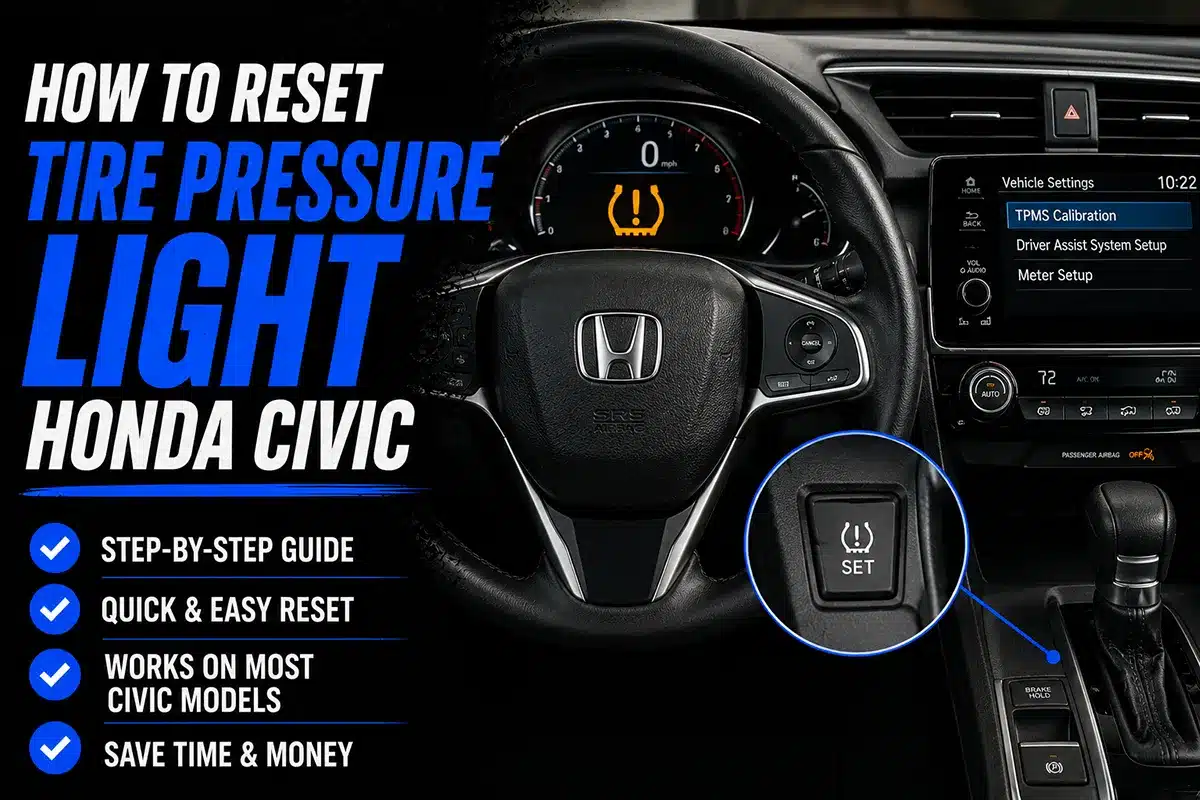
That little amber tire icon on your dashboard is not something you want to ignore — and I’ve learned that the hard way more than once.
TL;DR: To reset the TPMS light on most Honda Civics, inflate all four tires to the recommended PSI (usually 32–35 PSI), then press and hold the TPMS reset button (located under the steering wheel or in the instrument cluster menu) for about 3 seconds until the light blinks twice. Drive above 25 mph for 10 minutes and the light should go off. Full model-year breakdown and troubleshooting steps below.
Why I Put Together This Guide
A few months back, a reader emailed asking why her 2019 Civic’s tire pressure light kept coming back on even after she’d inflated her tires at a gas station. She’d done everything right, or so she thought.
Turns out she was inflating to the number printed on the tire sidewall (the maximum pressure) instead of the number on the door jamb sticker (the recommended operating pressure). Easy mistake, but it kept the light on.
I’ve personally gone through TPMS resets on three different Honda Civics — a 2013, a 2017, and a 2022 — and the process varies just enough between generations to cause confusion. This guide covers every method cleanly, generation by generation, so you’re not wasting time trial-and-erroring in a parking lot.
First: Understand What That Light Actually Means
Before touching any reset button, it helps to understand what you’re dealing with.
Honda Civic TPMS (Tire Pressure Monitoring System) became federally mandated on all new passenger cars sold in the US starting in 2008.
The system uses sensors inside each wheel to monitor real-time tire pressure. When pressure in any tire drops roughly 25% below the recommended PSI, the light triggers.
There are two types of TPMS light behavior to know:
| Light Behavior | What It Means |
|---|---|
| Steady amber light | One or more tires are low on pressure |
| Flashing light (then stays on) | TPMS sensor malfunction or sensor battery dead |
If your light is flashing for 60–90 seconds then staying solid, that’s a sensor problem — not just low pressure. Scroll down to the troubleshooting section.
Step 1: Find Your Recommended Tire Pressure
This is where a lot of people get it wrong, so I want to nail this down before anything else.
Do NOT use the number on the tire sidewall. That number (often 44–51 PSI) is the maximum pressure the tire can hold — not what Honda recommends for your Civic.
Your recommended tire pressure is on the door jamb sticker on the driver’s side door frame. On most Honda Civics, this is 32 PSI for standard trims and 35 PSI for some Sport and Si trims with larger wheel packages.
Quick reference for common Honda Civic tire pressure specs:
| Year Range | Standard Trim PSI | Sport / Si Trim PSI |
|---|---|---|
| 2006–2011 | 32 PSI | 32–35 PSI |
| 2012–2015 | 32 PSI | 32–35 PSI |
| 2016–2021 | 32 PSI | 35 PSI |
| 2022–2024 | 32 PSI | 35 PSI |
Always verify against your specific door jamb sticker. Inflation with nitrogen is fine but not necessary — regular air works perfectly.
Step 2: Inflate All Four Tires to the Correct PSI
Go to a gas station or use a portable inflator. I personally keep a Viair 85P or a AstroAI digital gauge in my trunk — they pay for themselves the first time you avoid a $0.75 gas station air machine.
Check all four tires cold (before driving more than a mile). Tire pressure rises as tires heat up — typically 4–6 PSI from cold to warm — so a cold reading is your most accurate baseline.
If a tire is over-inflated, bleed air by pressing the small pin inside the valve stem cap.
Step 3: Reset the TPMS Light — By Generation
This is where the process diverges depending on what year Civic you have.
2013–2015 Honda Civic (9th Gen): Physical TPMS Button
On the 9th gen Civic, there’s a dedicated TPMS reset button located below and to the left of the steering wheel, near the hood release lever.
Steps:
- Turn the ignition to ON (not Start — just turn the key one click or press the Start button without pressing the brake pedal).
- Locate the small TPMS button (it has a tire icon).
- Press and hold for approximately 3 seconds until the TPMS light blinks three times.
- Release the button.
- Turn the ignition off, then start the car normally.
- Drive above 25 mph for at least 10 minutes.
The light should extinguish once the system confirms pressure in all four sensors is within range.
2016–2021 Honda Civic (10th Gen): Instrument Cluster Menu
The 10th gen Civic dropped the physical TPMS button. Instead, the reset is handled through the instrument cluster multi-information display, using the steering wheel controls.
Steps:
- With the vehicle in Park, turn the ignition to ON (engine off or running — both work).
- Use the left steering wheel selector wheel to navigate to the “Customize” menu in the instrument cluster.
- Scroll to “TPMS Calibration”.
- Select “Initialize” and confirm.
- Drive above 30 mph for about 10 minutes.
The system recalibrates by comparing wheel rotation speeds (indirect TPMS logic), so it needs that drive cycle to complete. You won’t see an immediate light-off — it takes a few miles.
Heads up: The 10th gen Civic uses an indirect TPMS system on many trims — meaning it doesn’t have individual pressure sensors in each wheel. It infers pressure from wheel speed differences. This is why it just needs a “calibration” reset rather than reading a direct PSI from sensors.
2022–2024 Honda Civic (11th Gen): Touchscreen or Steering Wheel
The 11th gen Civic brought a redesigned interior with a larger touchscreen and updated instrument cluster.
Via Steering Wheel Controls:
- With car in Park, engine on.
- Press the Home button on the steering wheel.
- Navigate to Vehicle Settings → TPMS Calibration.
- Select Initialize.
- Drive 30+ mph for 10 minutes.
Via Touchscreen (if equipped with Honda Sensing display):
- Tap Settings on the home screen.
- Go to Vehicle → Tire Pressure.
- Select Calibrate or Initialize.
2006–2012 Honda Civic (8th Gen): TPMS Button Under Steering Column
Older 8th gen Civics have a similar approach to the 9th gen — a physical button, usually found under the steering column on the lower left of the dash panel.
Steps:
- Ensure all tires are at correct PSI.
- Turn ignition to ON (do not start engine).
- Press and hold the TPMS button until the indicator light flashes twice.
- Release and turn ignition off.
- Start car and drive normally.
Some 2006–2007 Civics (pre-TPMS mandate era, sold before the federal requirement kicked in for all vehicles) may not have TPMS at all. If your Civic predates 2008 and has no tire icon on the dash, that’s normal.
What If the Light Won’t Go Off?
Here are the most common reasons the TPMS light refuses to reset — and I’ve encountered most of these personally or through reader questions.
The Tires Weren’t Cold When You Checked
If you drove 20 minutes to a gas station and then inflated, your readings were warm. Warm tires read 4–6 PSI higher. Let the car sit for at least 3 hours before your “cold” check, or do it first thing in the morning.
You Inflated to Sidewall Max Instead of Door Jamb Spec
The door jamb number is what the TPMS system is calibrated to. If you inflated to 44 PSI and the system expects 32 PSI, you’ll actually get an over-inflation reading on some sensor-equipped models, which can also trigger the light on direct TPMS systems.
One Sensor Has a Dead Battery
TPMS sensor batteries typically last 5–10 years. If your Civic is 8+ years old and the light flashes for 60 seconds before going solid, one or more sensors have dead batteries. Replacement sensors run $25–$80 per wheel depending on OEM vs. aftermarket, plus installation.
The Spare Tire
Some Honda Civics include TPMS sensors in the spare tire (typically 10th and 11th gen with full-size spares). If your spare is low, it can trigger the light even if all four mounted tires are fine. Check your spare pressure — it’s usually 60 PSI for a compact spare or 35 PSI for a full-size.
You Haven’t Driven Enough After Reset
Indirect TPMS (common on 10th gen Civics) needs a 10–20 minute drive at highway speeds to fully recalibrate. Don’t expect the light to go off in a parking lot.
TPMS Light vs. Low Tire Pressure Light: Are They Different?
On Honda Civics, there’s one light that handles both scenarios — it uses the same amber tire-with-exclamation-point icon. The difference is in the behavior:
- Steady on = low pressure in one or more tires
- Blinks for ~1 minute, then stays steady = sensor/system malfunction
There is no separate “TPMS fault” indicator light — Honda uses the same icon for both. This is why a flashing light is your signal to stop guessing and have the sensors scanned with a TPMS diagnostic tool.
Does Cold Weather Affect TPMS on a Honda Civic?
Yes — and this catches a lot of people off guard in late fall.
For every 10°F drop in ambient temperature, tire pressure decreases by approximately 1 PSI. If your tires were set to 32 PSI in October when it was 65°F, and it’s now December at 25°F — that’s a 40°F swing, which equates to roughly 4 PSI of pressure loss. Your tires are now at 28 PSI, well below the 25% threshold that triggers the TPMS light.
My personal routine: I do a full four-tire pressure check every time the temperature swings more than 15–20°F from when I last set them. In Northern states, this means at least once in November and again in February.
When to See a Mechanic vs. DIY
Here’s an honest breakdown of what you can handle yourself versus what needs a shop:
| Situation | DIY or Shop? |
|---|---|
| Light on after cold weather | DIY — just inflate |
| Light on after normal conditions | DIY — inflate + reset |
| Light flashes 60 sec then stays on | Shop — likely sensor issue |
| Light comes back every few days | Shop — slow leak or failing sensor |
| Just bought used Civic, light is on | DIY first, shop if reset doesn’t hold |
| Replaced tires, light on after | DIY — recalibrate or re-learn sensors |
If you’ve replaced tires at a shop and the TPMS light came on afterward, it’s possible the tech forgot to reset/reprogram the sensors.
Go back and ask them to run a TPMS calibration — most shops will do it at no charge since it should have been part of the tire install.
A Note on Aftermarket Tires and TPMS
If you’ve swapped to a different tire size — say, going from stock 215/55R16 to a 225/50R16 — and the system still shows the old calibration, it may trip the TPMS more often since the rolling circumference has changed slightly. Indirect systems are especially sensitive to this.
Stick within Honda’s approved size range if you want TPMS to behave normally. If you’ve gone to winter wheels with a separate set of sensors, those sensors need to be programmed to your Civic’s receiver — most tire shops can do this with a TPMS tool for $20–$50.
Frequently Asked Questions
Can I drive with the TPMS light on?
You can, but you shouldn’t for long. The whole point of the system is to warn you before a tire reaches dangerously low pressure. A tire at 20 PSI has significantly reduced handling, increases stopping distance, and generates excess heat that can lead to a blowout. Check your pressure and address it as soon as possible — ideally within the day.
Why does my TPMS light keep coming back on?
The most common reason is a slow leak — a nail, screw, or faulty valve stem allowing gradual air loss. Inflate the tire to proper pressure, then check it again 24–48 hours later. If it’s dropped noticeably, you’ve got a slow leak. Also check that the valve stem cap is fully tightened — a missing cap allows minor moisture intrusion and debris that can cause slow leakage.
How much does it cost to replace a TPMS sensor on a Honda Civic?
OEM Honda TPMS sensors run approximately $60–$100 per sensor. Aftermarket options (like Dorman or Schrader) come in at $25–$50 per sensor with comparable reliability. Labor runs $20–$40 per sensor at most independent shops. If all four sensors are near end-of-life, it’s often cost-effective to replace all four at once during a tire rotation.
Does the Honda Civic use direct or indirect TPMS?
It depends on the generation. 8th and 9th gen Civics (2006–2015) use direct TPMS with individual sensors in each wheel. The 10th gen (2016–2021) predominantly uses indirect TPMS on lower trims and direct on Sport/Si variants. The 11th gen (2022–2024) uses direct TPMS across most trims. Check your owner’s manual if you’re unsure — the reset procedure differs, which is why I broke it down above.
Will disconnecting the battery reset my TPMS?
No. Disconnecting the battery will clear stored error codes temporarily and reset some systems, but it won’t recalibrate TPMS sensors or address the underlying cause of the light. It’s not a reliable fix, and the light will typically return within a drive cycle or two.
I just got new tires installed. Why is the TPMS light on?
Tire shops need to perform a TPMS reset/relearn procedure after mounting new tires. They use a TPMS activation tool to “wake up” each sensor and register it to the vehicle. If they skipped this step, the receiver may be looking for sensors in the wrong positions. Go back and ask them to run a sensor relearn — it takes about 10 minutes.
Final Thoughts
The TPMS light on your Honda Civic is genuinely one of the most useful warning lights on the dashboard — when you treat it as an early warning, not an annoyance.
Proper tire pressure improves fuel economy, extends tire life, and keeps you safer in emergency braking and swerving situations.
In my experience, 80% of TPMS light issues are resolved by inflating to the correct door jamb PSI and doing a proper reset.
The other 20% usually come down to a slow leak you didn’t know you had, or a sensor that’s past its useful life. Neither of those is something you want to keep ignoring.
If you found this guide helpful, I’d recommend bookmarking it for the next time cold weather rolls around — it’ll probably be relevant again before you know it.
Have a TPMS issue with your Civic that isn’t covered here? Drop it in the comments and I’ll do my best to help.