

That little amber horseshoe light on your dashboard — you know the one. It pops on during a cold morning, and your first instinct is to grab a gauge and check your tires. Pressures look fine. You drive a few miles, and the light stays on. You reset it. It comes back. Sound familiar?
I’ve been there more times than I can count, and after years of working on my own vehicles and helping friends and neighbors troubleshoot their TPMS systems, I can tell you: nine times out of ten, when your tire pressure looks perfectly normal but that warning light won’t quit, you’re dealing with a dead or dying TPMS sensor battery.
The good news? This is something a lot of DIYers can handle at home — but only if you understand what you’re actually dealing with first.
Before you grab a screwdriver and start pulling wheels off, there’s critical information you need to know. I’ve made some of the mistakes so you don’t have to.
If you’re newer to tire maintenance overall, I’d also recommend bookmarking our tire buying and maintenance guide — it covers everything from reading tire sidewalls to understanding TPMS systems in plain English. It’ll give you useful context before you dive into this kind of repair.
This guide is the most thorough breakdown I’ve put together on the TPMS battery replacement process — from identifying whether your sensor is even serviceable, to the full step-by-step process, real mistakes I’ve made along the way, and an honest cost comparison.
TL;DR — The Short Version
- Most modern TPMS sensors have sealed, non-replaceable batteries. If yours is one of those, you’ll need to replace the entire sensor, not just the battery.
- Some older or serviceable sensors DO have replaceable batteries — usually CR1632 or CR2032 coin cells.
- The process involves removing the wheel, breaking the tire bead, accessing the sensor, swapping the battery, and remounting/reinflating the tire.
- You’ll also need to perform a TPMS relearn procedure after the repair so your car recognizes the sensor.
- DIY cost: $5–$20 for a battery, $20–$60 for a full replacement sensor.
- Shop cost: $50–$150 per sensor, plus labor.
⚠️ Key warnings: Breaking the bead incorrectly can damage your tire. Always use a new valve stem seal when reinstalling. If your sensor is sealed, don’t attempt to crack it open.
- TL;DR — The Short Version
- What Is a Tire Pressure Sensor (TPMS)?
- Signs Your TPMS Battery Is Dead
- Can You Replace a TPMS Battery or Not?
- Types of TPMS Sensors: Replaceable vs. Sealed
- Tools You’ll Need
- Step-by-Step Guide to Replace Your TPMS Battery
- My Real-World Experience: Mistakes, Lessons, and Tips
- Common Mistakes to Avoid
- Cost Comparison: DIY vs. Mechanic
- When You Should Replace the Entire Sensor Instead
- Safety Warnings
- TPMS Relearn Process Explained in Detail
- FAQs
- Final Thoughts
What Is a Tire Pressure Sensor (TPMS)?
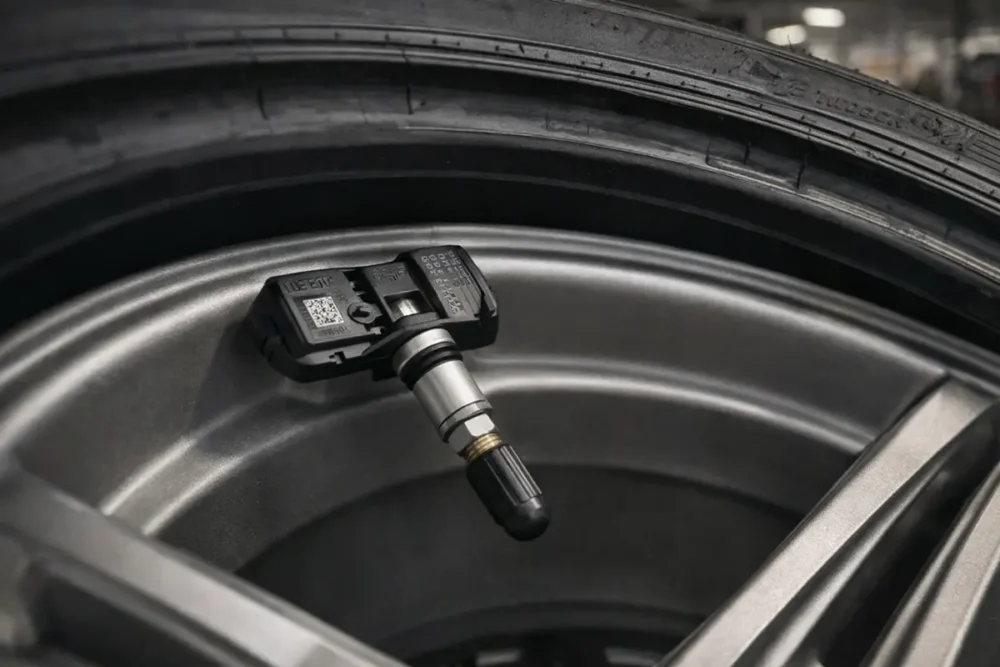
Before we get into the battery replacement process, let me give you a quick but solid explanation of what you’re working with.
A Tire Pressure Monitoring System (TPMS) sensor is a small electronic device mounted inside each of your wheels (and sometimes the spare). It continuously measures the air pressure inside the tire and transmits that data wirelessly to your car’s onboard computer.
When pressure drops more than 25% below the recommended PSI, your dashboard warning light triggers. That threshold is set by federal law — TPMS has been federally mandated on all new passenger vehicles sold in the U.S. since September 2007, under the TREAD Act.
There are two types of TPMS systems:
- Direct TPMS: Sensors mounted inside each wheel that actively measure and transmit pressure data. This is what most modern vehicles use.
- Indirect TPMS: Uses ABS wheel speed sensors to detect pressure loss by monitoring wheel rotation speed differences. No physical sensors inside the tires. Rare on newer vehicles.
For this guide, we’re focused entirely on direct TPMS sensors, since those are the ones with batteries.
Each sensor is powered by a small lithium battery. These batteries aren’t rechargeable. They’re designed to last 5–10 years or approximately 100,000 miles under normal conditions. When they die, the sensor stops transmitting, and your warning light comes on — even if your tires are perfectly inflated.
Signs Your TPMS Battery Is Dead
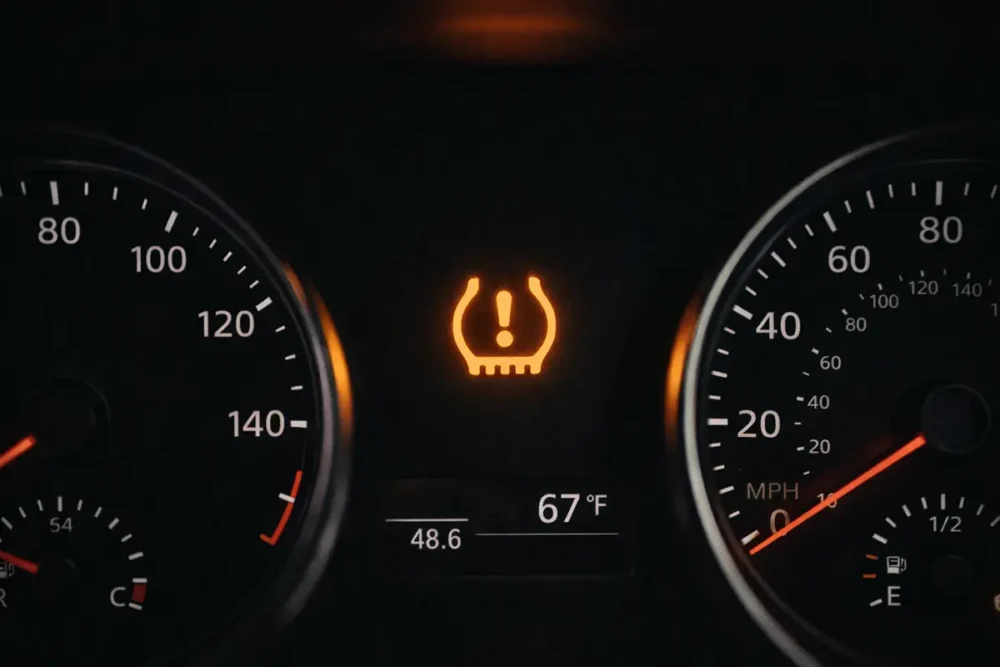
Here’s how to tell whether you’re dealing with a dead TPMS battery versus an actual low tire:
The TPMS light is on but tire pressure is normal
This is the biggest tell. Grab a quality analog or digital pressure gauge and check all four tires. If they’re within 2–3 PSI of the recommended pressure (found on the sticker inside your driver’s door), your sensor battery is likely the culprit.
The warning light won’t reset
If you inflate the tires and reset the TPMS system, but the light comes back within a few miles, that’s a strong indicator the sensor isn’t transmitting properly — often due to a dead battery.
Your scanner shows no signal from one sensor
If you have an OBD-II scanner with TPMS functionality (I’ll talk about this more in the tools section), you can check live sensor readings. If one sensor isn’t showing any data, it’s either dead or malfunctioning.
Your vehicle is 7+ years old
At this age, even if you’ve had no issues yet, TPMS batteries are approaching end-of-life. I’ve seen them die as early as 5 years on vehicles that see extreme temperature fluctuations — especially here in the Sun Belt states and the upper Midwest.
One wheel reads differently from the others
Sometimes a dying battery sends erratic or inaccurate readings before it dies completely. If one sensor always reads slightly off or fluctuates randomly, the battery may be on its way out.
Can You Replace a TPMS Battery or Not?
This is the most important question in this entire article, and I want to be completely straight with you: most TPMS sensors manufactured in the last several years are sealed units with non-replaceable batteries.
I’ve seen a lot of blog posts and YouTube videos gloss over this, which wastes people’s time and can even lead to damaged sensors. Here’s the reality:
Sealed Sensors (Most Common Today)
The vast majority of OEM (original equipment manufacturer) and aftermarket sensors sold since roughly 2012–2015 are epoxy-sealed or ultrasonic-welded units. The battery compartment is not designed to be opened. Attempting to pry one apart will destroy the sensor — and you’ll end up needing to buy a new one anyway, except now you’ve wasted an hour.
If your sensor is sealed, skip the battery replacement and go straight to full sensor replacement. I’ll cover that process later in this guide.
Serviceable Sensors (Older or Select Aftermarket)
Some older sensors — particularly those from the mid-2000s through early 2010s — and select aftermarket brands (like certain Schrader and Dill serviceable sensors) DO allow battery replacement. These units typically have:
- A visible battery compartment with a small screw or clip
- A rubber O-ring or gasket that can be replaced
- Coin cell batteries (CR1632, CR2032, or similar) that are accessible
If you’re not sure whether your sensor is serviceable, here’s what I do: search your vehicle’s year/make/model + “TPMS sensor battery replacement” on Google or YouTube. If there’s a clear tutorial specific to your sensor, it’s likely serviceable. If nothing comes up or people keep saying “just replace the sensor,” that’s your answer.
Types of TPMS Sensors: Replaceable vs. Sealed
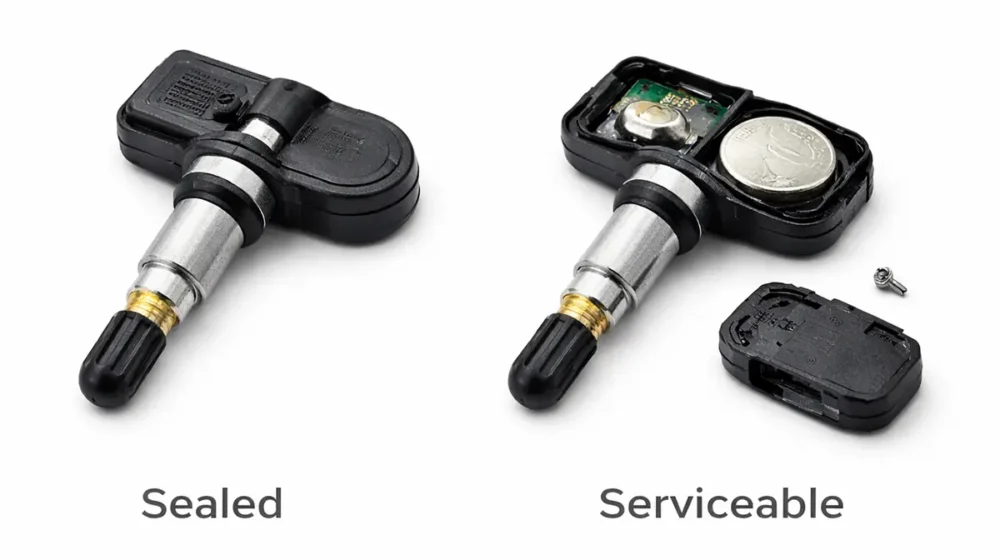
Let me break this down clearly so you know what you’re working with before you pull a single wheel.
OEM Sensors
These come installed from the factory. Brands vary by vehicle — Ford often uses Continental or Schrader sensors, Toyota uses Pacific Industries or TRW, GM uses Schrader or Lear. Most OEM sensors from 2013 onward are sealed.
Aftermarket Universal Sensors
Brands like Autel, TPMS Pro, Dorman, and Standard Motor Products offer programmable aftermarket sensors. Many of these are also sealed, but some — particularly those marketed as “serviceable” — include replaceable batteries. Always read the product listing carefully.
Serviceable Aftermarket Sensors
Companies like Dill Air Controls and Schrader have historically produced serviceable sensors with replaceable batteries. If you specifically want a sensor with a replaceable battery going forward, you can purchase these as replacements, even for vehicles that originally had sealed OEM sensors.
Tools You’ll Need
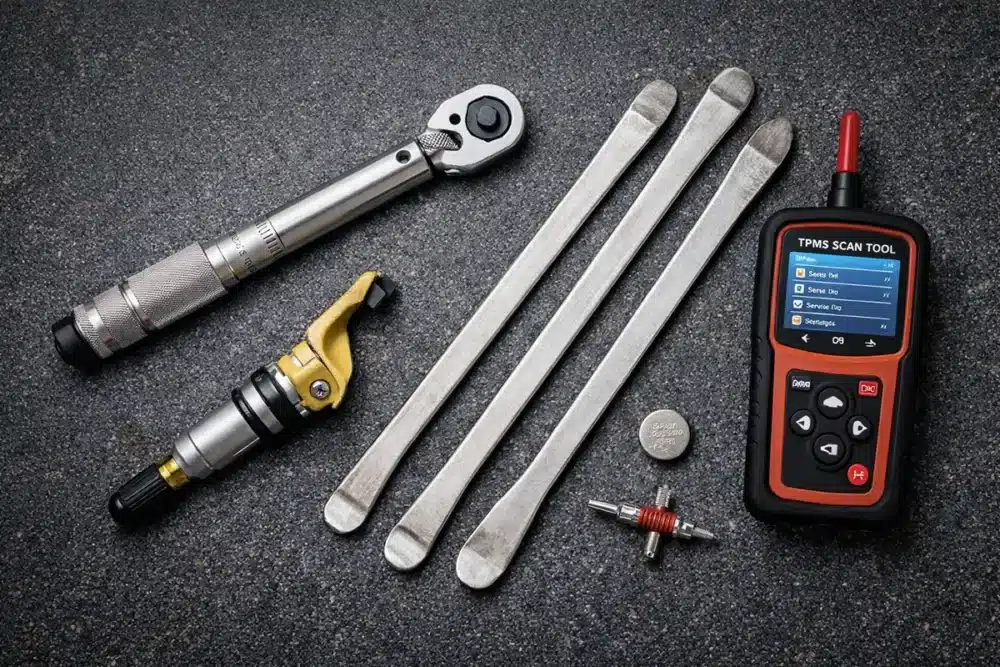
Here’s what I keep on hand for this job. Some of these you may already own; others you might need to borrow or rent from an auto parts store.
Essential Tools:
- Floor jack and jack stands (never work under a car on just a jack)
- Lug wrench or impact wrench
- Manual bead breaker or tire spoons (3 minimum)
- Valve core tool
- Torque wrench (for lug nuts and sensor nut)
- TPMS scan tool or OBD-II scanner with TPMS function (I use the Autel MX-Sensor tool — worth every penny)
- Flathead screwdriver and small pick (for opening serviceable sensors)
- Replacement coin cell battery (CR1632 most common — check your sensor’s manual)
- New TPMS valve stem service kit (grommet, washer, valve core, cap — these are cheap and critical)
- Bead lubricant or dish soap
- Air compressor capable of seating a bead
Nice to Have:
- Mechanic’s gloves
- Tire mounting machine (if you have access)
- Wheel balancer
Step-by-Step Guide to Replace Your TPMS Battery
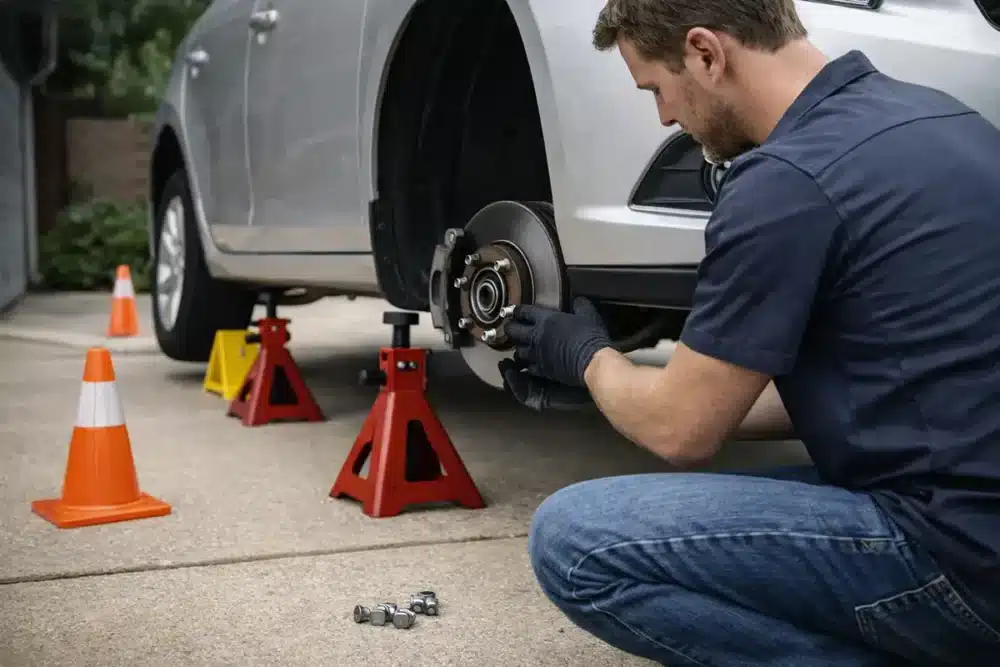
Alright, let’s get into the actual process. I’m going to walk through this exactly as I do it in my own garage.
Step 1: Remove the Wheel
First things first — safely get the wheel off the vehicle.
- Loosen the lug nuts slightly before jacking up the car. This prevents the wheel from spinning when you apply torque.
- Jack up the vehicle on a firm, level surface. Use your vehicle’s designated jack points.
- Place jack stands under the frame or pinch weld points before getting under or working around the vehicle. Don’t rely on the jack alone.
- Remove the lug nuts completely and pull the wheel off. Set it flat on the ground.
Pro tip: Use a rubber mallet to tap the wheel free if it’s stuck on the hub. Don’t kick it — I’ve seen people crack their alloy wheels doing that.
Step 2: Deflate the Tire Safely
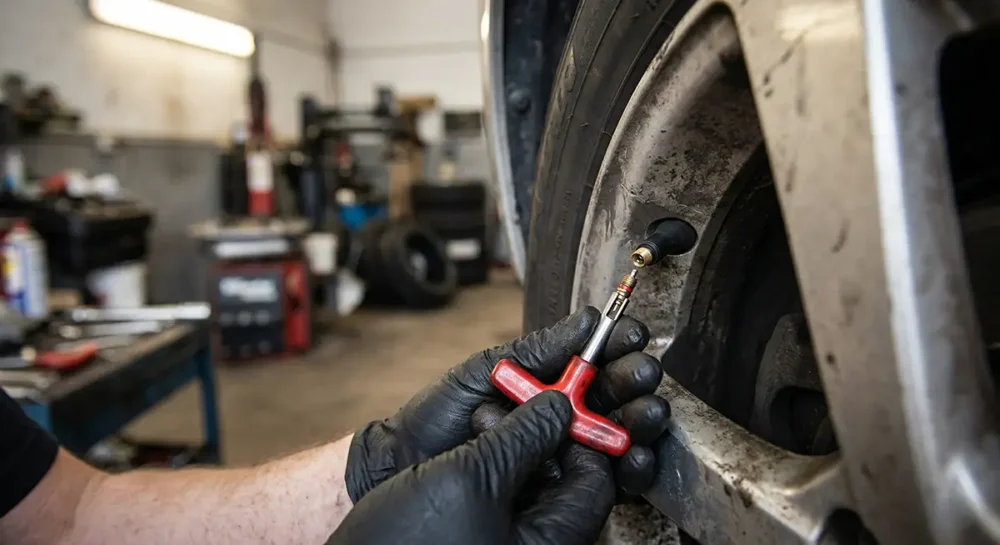
Before you can break the bead, you need all the air out.
- Remove the valve cap and set it somewhere you won’t lose it.
- Use your valve core tool to unscrew and remove the valve core. Air will rush out quickly — keep your face clear.
- Press the tire down on the valve side to help expel remaining air.
- Confirm the tire is fully deflated — squeeze the sidewall on both sides. There should be zero resistance.
Step 3: Break the Bead
This is where most DIYers get nervous — and honestly, it’s the step where things can go wrong if you rush.
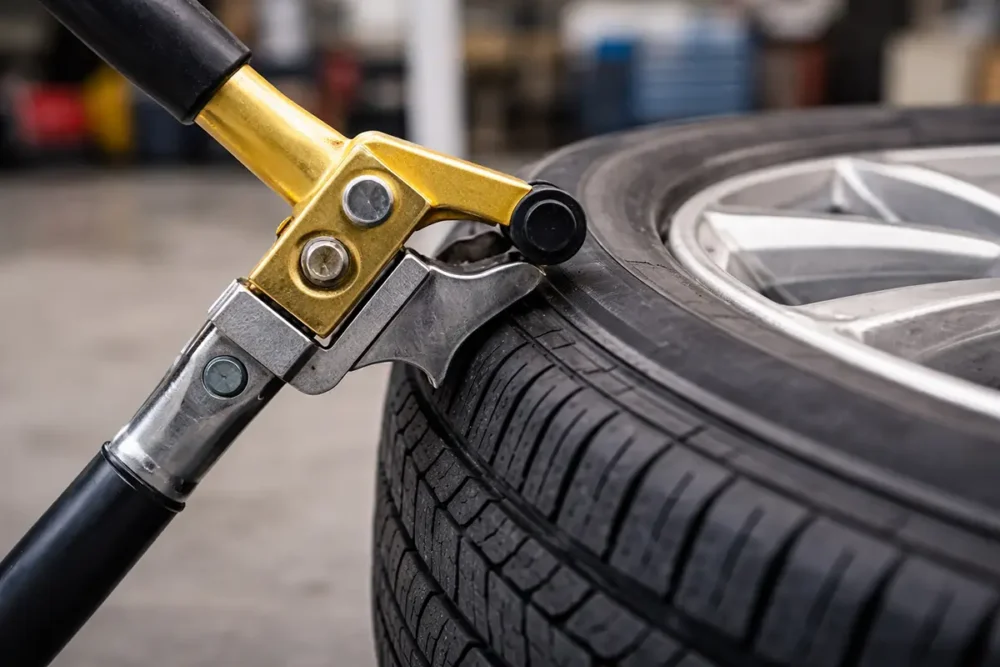
The bead is where the tire’s inner edge seats tightly against the rim. You need to unseat it to access the inside of the tire.
- Apply bead lubricant (or dish soap mixed with water) generously around the entire inner and outer tire bead.
- Position your bead breaker tool against the sidewall — NOT on the tread. Work close to the rim edge.
- Apply steady pressure using your body weight. Work around the circumference of the tire in sections, not just one spot. Stubborn beads sometimes need 3–4 passes.
- Repeat on the other side of the tire.
⚠️ Warning: Never use a circular saw, grinder, or impact hammer to break a bead. I’ve seen people attempt this and slice through their sidewall. Use the right tool, take your time.
Step 4: Access the TPMS Sensor
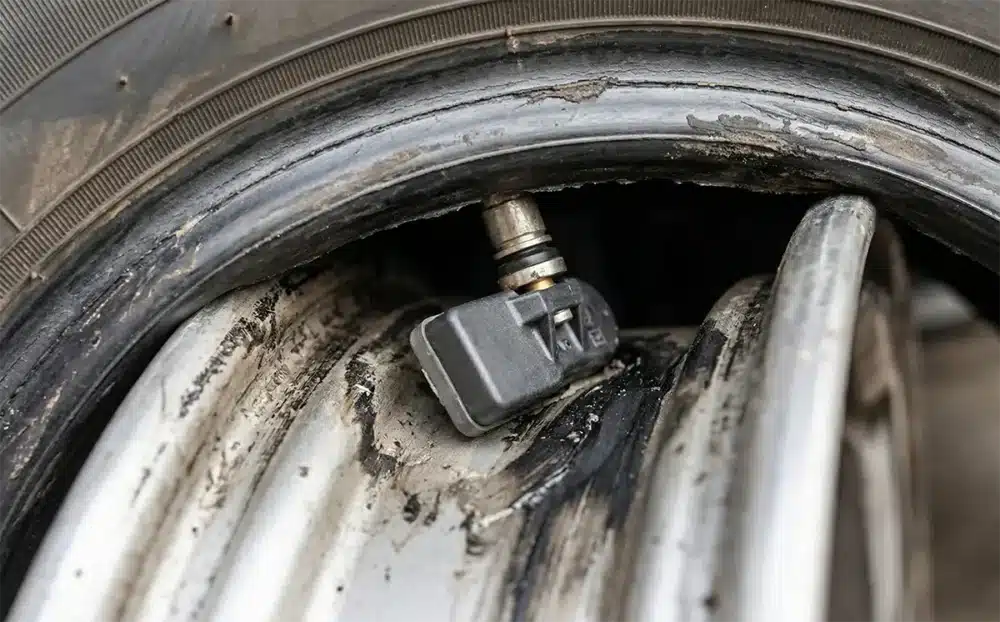
With the bead broken on both sides, you can now work one side of the tire off the rim using tire spoons.
- Insert a tire iron between the tire bead and the rim at any point.
- Pry the bead up and over the rim edge, working around the circumference in small increments — a few inches at a time.
- Be very careful near the TPMS sensor. The sensor is typically at the valve stem location. Don’t jam a tire iron into that area. Work the tire iron away from the sensor — approach from 3–4 inches on either side.
- Once one bead is off the rim, you can reach inside and locate the sensor. It’s mounted at the base of the valve stem on the inner rim surface, held in place by a small nut on the outside of the rim.
Step 5: Replace the Battery (If Possible)
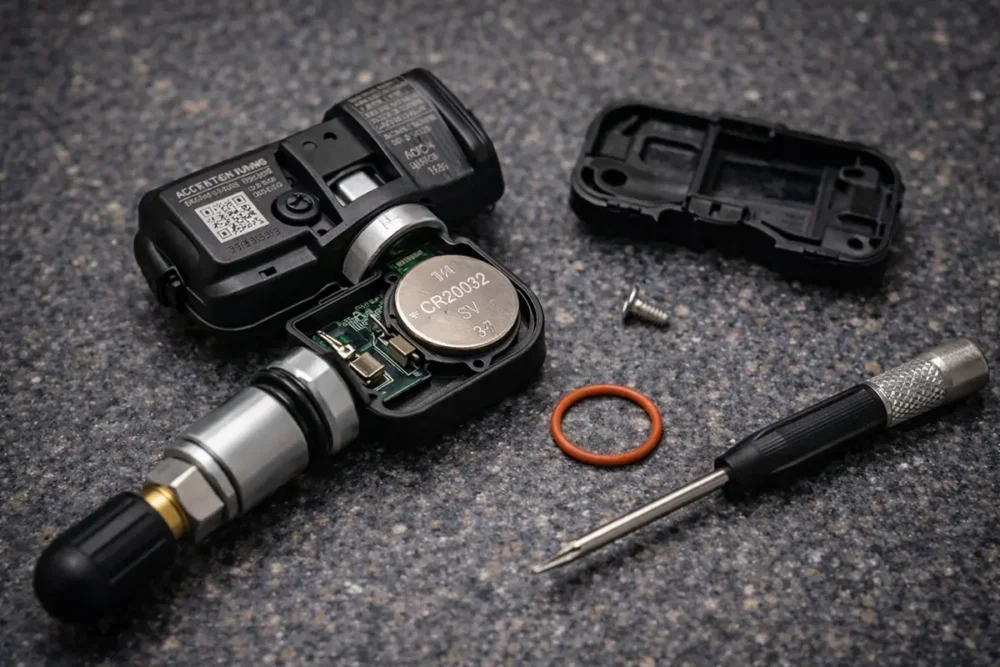
Here’s the moment of truth. Now that you have the sensor accessible, determine whether it’s serviceable.
For serviceable sensors:
- Inspect the sensor for a visible seam, screw, or snap-fit battery cover.
- Gently open the battery compartment using a small flathead screwdriver. Don’t force it — you’ll know immediately if it’s meant to open.
- Note the battery orientation before removing the old one (take a photo with your phone).
- Remove the old battery with a small pick or flathead.
- Insert the new battery with correct polarity. Most TPMS sensors use a CR1632 — confirm yours before buying.
- Replace the O-ring or gasket if your sensor kit includes one (it usually should — this keeps moisture out).
- Snap or screw the battery compartment closed firmly.
For sealed sensors:
If the sensor doesn’t open, stop here. Order a replacement sensor (I’ll discuss this in a later section) and continue the reinstallation process with the new unit.
Step 6: Reinstall the Sensor
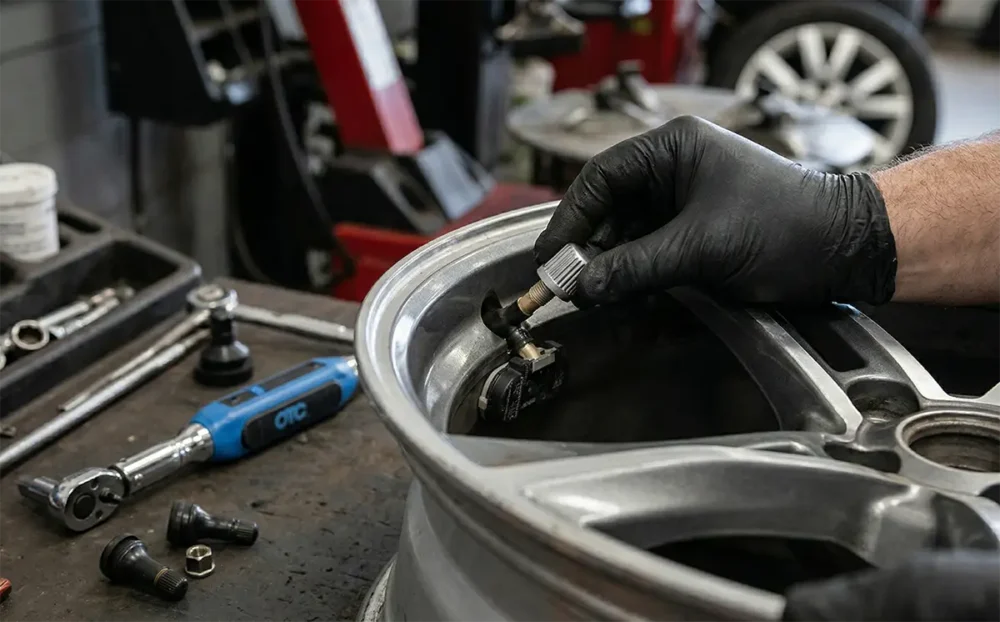
Whether you replaced the battery or installed a new sensor entirely, installation is the same.
- Install a fresh valve stem service kit — this includes a new grommet, metal washer, valve core, and cap. Old grommets harden and crack over time and are a major source of slow leaks. Do not skip this.
- Thread the sensor’s valve stem through the rim hole from the inside.
- Hand-tighten the nut on the outside of the rim.
- Torque the nut to spec — typically 4–8 ft-lbs depending on the sensor. Do NOT overtighten. I’ve cracked a valve stem housing by going too hard with a wrench. Use a torque wrench.
Step 7: Mount and Inflate the Tire
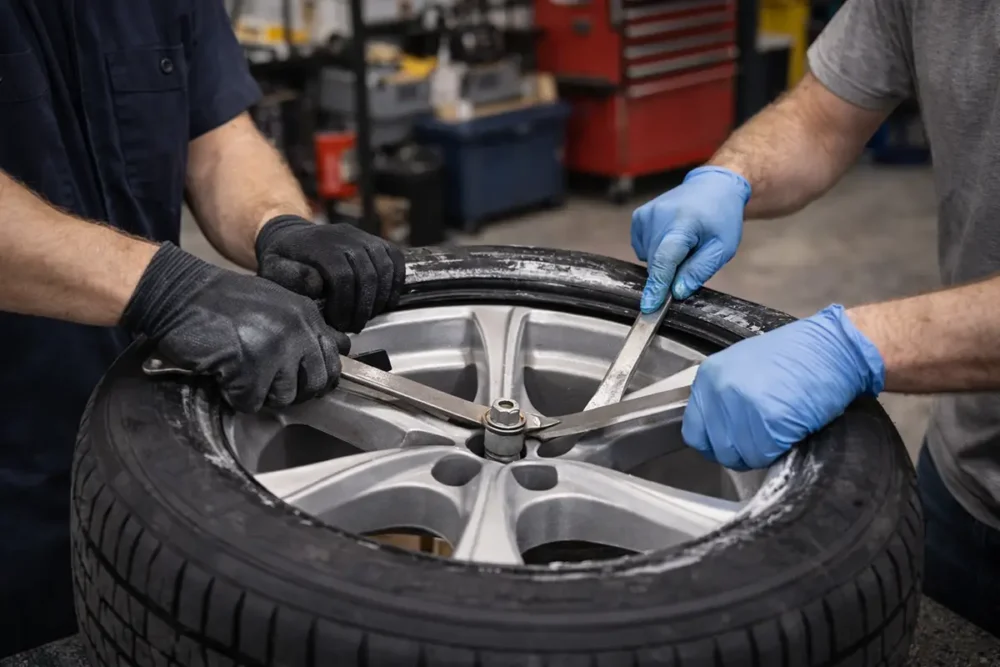
- Apply bead lubricant generously to both tire beads and the rim bead seats.
- Seat the first bead by working it over the rim by hand as much as possible, then using tire spoons for the last section. Keep the tire near the drop center of the rim while working — this gives you slack.
- Seat the second bead the same way. Take it slow near the sensor.
- Install the valve core and begin inflating.
- Seat both beads with air pressure. You may hear two distinct “pops” as the beads seat. For stubborn beads, a quick shot of compressed air (some shops use an air burst from a tank) helps — but stay below 40 PSI in the process.
- Inflate to recommended pressure (check your door sticker — usually 32–36 PSI for most passenger cars and light trucks).
- Check for leaks around the valve stem and bead area using soapy water. No bubbles = good seal.
Step 8: Relearn/Reset the TPMS System
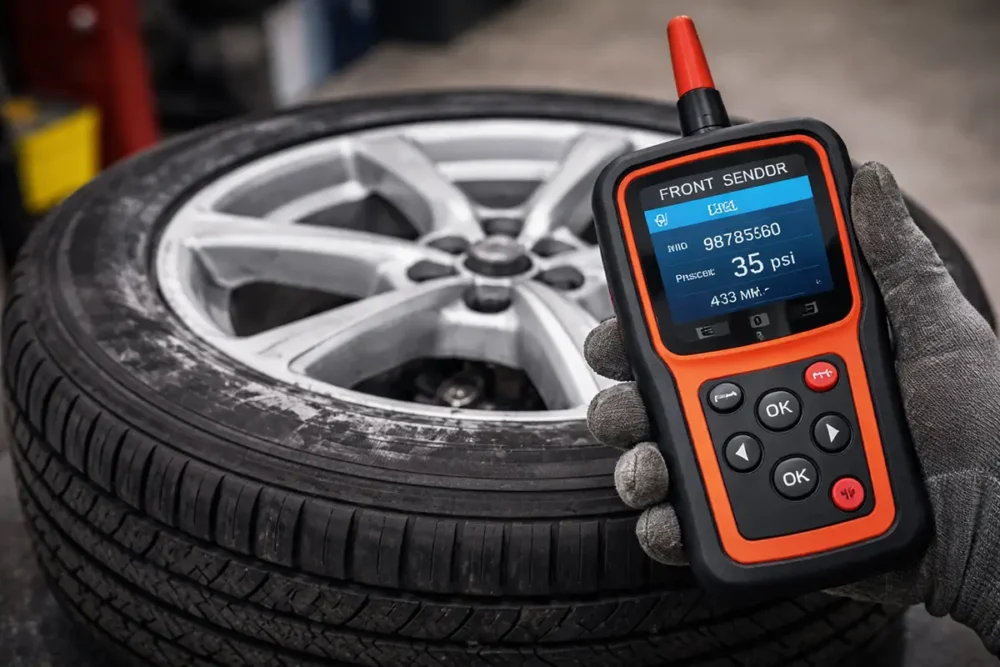
This step trips up a lot of DIYers. Just replacing the battery or sensor isn’t enough — your vehicle’s ECU needs to recognize and register the updated sensor ID.
There are three common relearn methods:
Auto Relearn (Passive Relearn):
Some vehicles automatically relearn sensor IDs after you drive at speeds above 20 mph for 10–20 minutes. The TPMS light will go off on its own. Check your owner’s manual.
Stationary Relearn (Button Sequence):
Many GM, Ford, and Chrysler vehicles have a relearn mode triggered through the instrument cluster or a physical TPMS reset button. Consult your owner’s manual for the specific button sequence.
OBD-II Tool Relearn:
This is the most reliable method and what I use every time. Tools like the Autel TS508, ATEQ VT56, or similar allow you to program the new sensor ID directly into the vehicle’s ECU. Hold the tool near each sensor, activate it, and then push the data to the car’s computer. Clean, fast, and foolproof.
Important: If you installed a programmable aftermarket sensor, you may need to clone the original sensor ID or program it fresh using a scan tool before installation.
My Real-World Experience: Mistakes, Lessons, and Tips

Let me be real with you here. The first time I attempted to replace a TPMS battery on a 2009 Silverado, I spent 45 minutes trying to open a sealed sensor before accepting it wasn’t designed to open. That cost me time and nearly cost me the sensor itself.
Here are the honest lessons I’ve picked up:
- Always verify your sensor type BEFORE touching anything. A 5-minute Google search saves a 2-hour headache.
- The valve stem service kit matters more than people think. I had a tire slowly lose a pound of pressure per week on a truck I’d worked on — turned out it was the hardened grommet. Replaced it for 75 cents and the problem disappeared.
- Tire spoons and patience beat force every time. Rushing the bead seating step is how you pinch the inner liner or, worse, crack the sensor housing.
- Don’t assume “reset” means “relearned.” Hitting a reset button just clears the warning light temporarily. The vehicle still needs to recognize the sensor ID for proper monitoring.
- Cold temperatures can mimic a dead battery. If this happens only in winter, check your pressures first — cold air contracts, and pressures drop roughly 1 PSI for every 10°F temperature drop. The sensor may be fine.
Common Mistakes to Avoid
- ❌ Trying to open a sealed sensor — you’ll ruin it
- ❌ Skipping the valve stem service kit — causes slow leaks
- ❌ Overtightening the sensor nut — cracks the sensor body
- ❌ Not doing the TPMS relearn — light stays on, monitoring doesn’t work
- ❌ Using excessive force with tire irons near the sensor — damages sensor or tire bead
- ❌ Exceeding 40 PSI while seating the bead — explosion risk (seriously)
- ❌ Installing the wrong battery type — check your sensor’s documentation, not just the size
- ❌ Ignoring the O-ring replacement — moisture gets in and kills the sensor
Cost Comparison: DIY vs. Mechanic
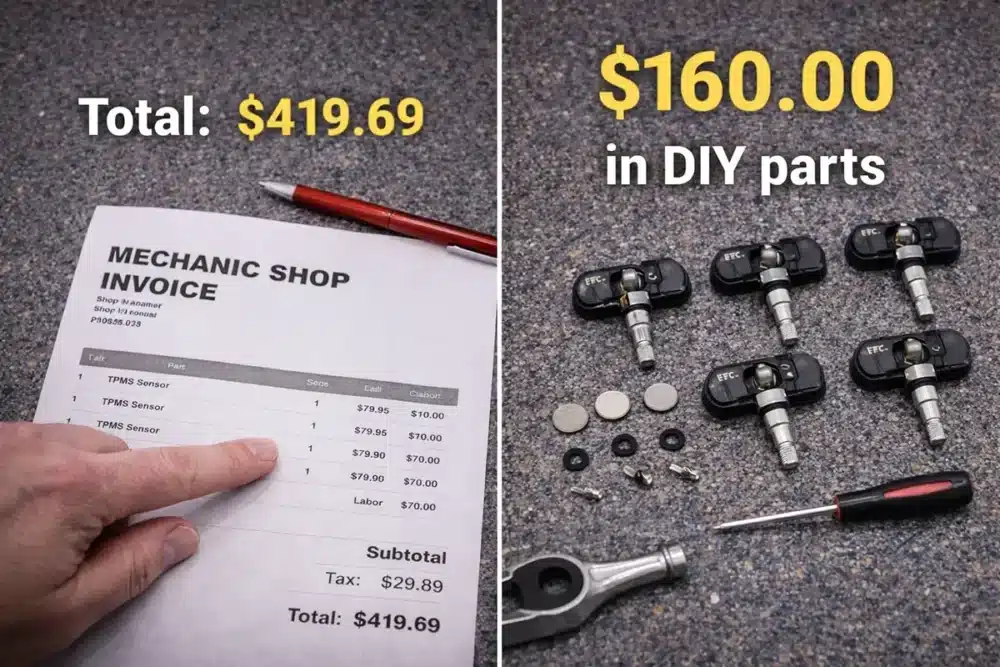
Let’s talk money, because that’s usually why you’re considering doing this yourself.
DIY Cost Breakdown
| Item | Estimated Cost |
|---|---|
| Replacement coin cell battery (CR1632) | $3–$7 |
| Valve stem service kit | $2–$5 |
| Full replacement sensor (if needed) | $20–$60 |
| TPMS relearn tool (one-time purchase) | $50–$200 |
| Bead breaker (if you don’t own one) | $20–$60 (manual) |
For a battery-only replacement with tools you already own: under $10 per tire.
For a full sensor replacement + relearn tool (first time): $90–$200 (but the tool pays for itself quickly if you work on multiple vehicles).
Shop/Dealership Cost
| Service | Estimated Cost |
|---|---|
| TPMS sensor replacement (labor + part) | $50–$150 per sensor |
| All 4 sensors replaced | $200–$600 |
| TPMS relearn only | $20–$50 |
If you’re replacing all four sensors, the DIY savings are very real. I’ve saved over $300 on sensor replacements across three vehicles by doing this work myself.
When You Should Replace the Entire Sensor Instead
Be honest with yourself here. There are times when replacing the battery doesn’t make sense or isn’t possible:
- The sensor is sealed (non-serviceable) — most common reason
- The sensor body is cracked or corroded — often happens on vehicles in northern states with heavy road salt use
- The sensor has already failed internally — even a fresh battery won’t fix a dead circuit board
- The sensor is 8+ years old — at this age, replacing it proactively with a full sensor often makes more sense than a battery swap
- You’re already buying new tires — if you’re having tires mounted at a shop, have them check and replace any aging sensors at the same time. The labor cost is already baked in.
My rule of thumb: if the sensor is under 7 years old and physically intact, try the battery. If it’s older or damaged, go full replacement.
Safety Warnings
⚠️ I want to dedicate a whole section to this because tires under pressure can be genuinely dangerous.
- Never exceed 40 PSI when seating a bead at home — tire/rim explosions cause serious injuries and fatalities. If the bead won’t seat at 40 PSI, take it to a shop with a proper mounting machine.
- Always use jack stands — never work under a vehicle supported only by a hydraulic jack. They fail.
- Wear safety glasses when working with bead breakers, tire irons, and compressed air.
- Don’t reuse old valve cores — they’re cheap. Swap them. A failed valve core at highway speed is a blowout.
- Check torque specs for your specific TPMS sensor — overtightening is the #1 cause of cracked sensor bodies during DIY installs.
- If you’re uncertain about seating the bead, take the wheel to a tire shop. Mounting fees are typically $10–$20 per tire. Your safety is worth that.
TPMS Relearn Process Explained in Detail
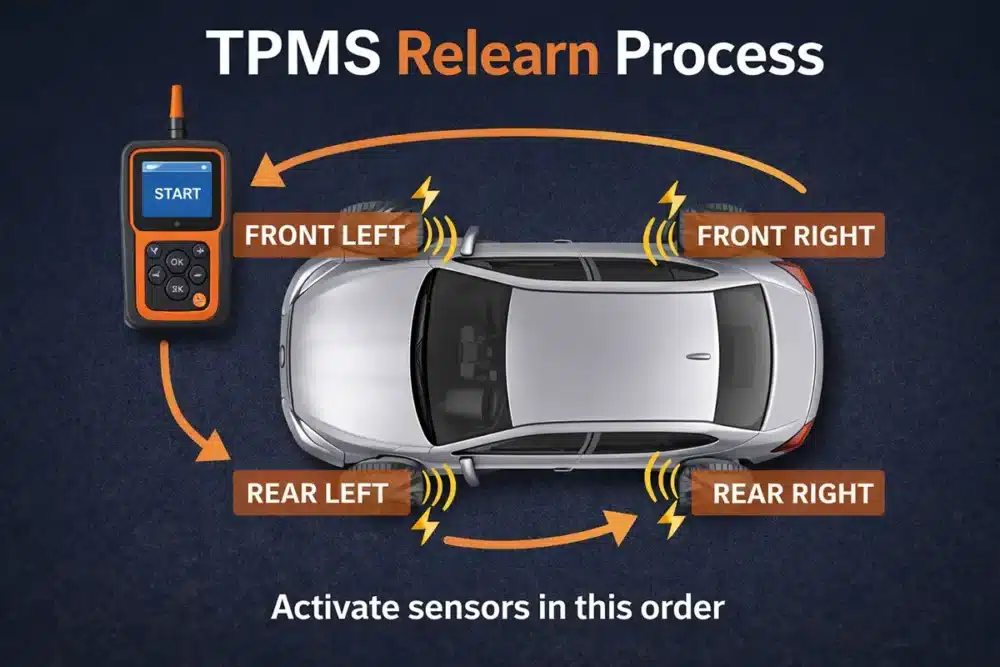
Since the relearn process varies significantly by manufacturer, here’s a quick breakdown of the most common methods by vehicle type:
Ford (2008–present)
Most Fords use a stationary relearn via the instrument cluster menu. Navigate to “Settings > Vehicle > TPMS Relearn” and follow the prompts. Some older models require you to use a strong magnet on each valve stem to activate the sensor.
GM (Chevy, GMC, Buick, Cadillac)
Many GMs use a button sequence: turn the ignition to ON (not start), press the TPMS reset button until the TPMS light flashes three times, then use a TPMS activation tool at each wheel in the specified order (usually LF → RF → RR → LR).
Toyota / Lexus
Most Toyota and Lexus vehicles use passive relearn — just drive at 25+ mph for 20–30 minutes. However, some models (particularly newer Tacomas and 4Runners) require a scan tool.
Honda / Acura
Honda TPMS relearn typically involves calibration through the MID (multi-information display) under the TPMS calibration menu. No external tool required for most models.
Chrysler / Dodge / Jeep / Ram
These typically require a scan tool or OBD-II TPMS relearn tool. The process involves triggering each sensor with the activation tool while in relearn mode.
When in doubt: A generic TPMS scan tool like the Autel TS508 handles relearn for the vast majority of U.S. vehicles and is worth the investment if you plan on doing this more than once.
FAQs
Can I replace a TPMS battery myself?
Yes — but only if your sensor has a replaceable battery. Many modern sensors are sealed and cannot be opened. Research your specific sensor model before attempting this.
How long do TPMS batteries last?
Typically 5–10 years, depending on driving conditions and climate. Cold climates can shorten battery life due to increased transmission frequency as the sensor works harder in low-pressure conditions.
What battery does a TPMS sensor use?
Most serviceable sensors use a CR1632 coin cell battery, though some use CR2032 or CR2450. Always check your sensor’s documentation for the correct battery.
Will my TPMS light go off on its own after replacement?
Maybe. Some vehicles auto-relearn after driving. Others require a manual reset or scan tool relearn. Check your owner’s manual.
Is it safe to drive with the TPMS light on?
Short-term, yes — but you lose your automated pressure monitoring. Always check pressures manually if the light is on. Never drive on a low or flat tire.
Do I need a TPMS tool to replace sensors?
Not for the physical replacement, but you’ll need one (or a specific button sequence) to complete the relearn process and clear the warning light.
How do I know if my sensor is sealed or serviceable?
Look for a visible battery compartment or seam on the sensor body. If the sensor looks like a single molded plastic unit with no opening, it’s sealed. You can also search your specific sensor model number online.
Can I replace just one TPMS sensor or do I need to do all four?
You can replace just one, and that’s usually fine. However, if one sensor is dying, the others are the same age and may follow soon. Some people replace all four at once for peace of mind — especially when buying new tires.
Final Thoughts
Replacing a TPMS battery is a satisfying DIY project when it’s possible — and I say that having done it successfully on older vehicles with serviceable sensors. The key is knowing what you’re working with before you start.
If your sensor is sealed, don’t fight it. Move straight to full sensor replacement. The process is nearly identical, the parts are affordable, and you’ll end up with a sensor that should last another 7–10 years.
Take your time on the bead breaking and mounting steps, invest in a proper TPMS relearn tool if you’re maintaining multiple vehicles, and don’t cut corners on the valve stem service kit.
Those small details are what separate a clean, leak-free repair from one that has you back in the driveway with a slow leak and a warning light six weeks later.
You’ve got this.

Quote: you bring in just the tires/wheels. This makes no sense. Who would remove the wheels and tires from a car and put them in another vehicle to take them to a tire shop? You are not saving money doing this. The shop still needs to dismount the tires from the rims to get to the sensors, which is the real work. Just delete this item from the page. With impact wrenches the shop can easily remove the wheels from the car and reinstall them. You are NOT going to save any significant money doing this yourself.
Quote: Perform an OBDII diagnostic scan to confirm all TPMS sensors are transmitting properly. This is one of the first diagnostic steps you should perform. It should appear under the section:
When to Replace TPMS Sensor Batteries
Even earlier in the article, one of the very FIRST steps you should take is to read your owner’s manual. Put this at the top of the article. The manual will tell you whether you even have TPMSs sensors in the tires. You may have an indirect measurement system that uses data from your antilock brake system or other data to determine low pressure.